More browsing paths
Play Metroid: Zero Mission (Europe edition · English / French / German / Spanish / Italian) Online
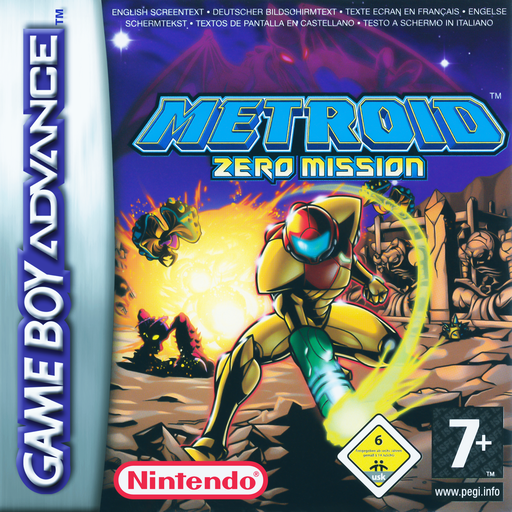
Metroid: Zero Mission
Play Metroid: Zero Mission online and revisit Samus Aran’s first mission in a GBA action adventure with Brinstar exploration, Chozo guidance, hidden upgrades, Morph Ball routes and acrobatic movement.
Browser play
Game Boy Advance (GBA) — EmulatorJS controls
Default Player 1 keyboard mapping. Change keys in Controller Settings.
| Console button | Keyboard |
|---|---|
| ↑ / ↓ / ← / → | ↑ / ↓ / ← / → |
| A / B | Z / X |
| L / R | Q / E |
| START / SELECT | Enter / V |
Open Controller Settings to configure your keyboard or gamepad. Touch controls are available on mobile.
How to Play Metroid: Zero Mission
Quick start
Choose Start Game, select a file and begin in Brinstar. Go left from the landing point and take the Morph Ball from the Chozo statue, then return right, press Down twice and roll beneath the obstruction. Continue through the blue hatches toward the first Missile Tank and the Chozo guidance statue; check the map after each statue instead of trying to force an ability-gated passage.
Controls
D-pad moves; Up aims vertically or grabs a ledge and Down crouches or enters Morph Ball. A jumps and confirms; B fires and cancels. Hold L to aim diagonally, and hold R then press B to fire the selected missile. START opens the map/status screen and SELECT switches missile types after Super Missiles are obtained. Jump toward a wall, press away and A on contact to wall-jump.
Metroid: Zero Mission Game manuals
Cheats
No cheats have been added for this edition.
Player verification and sources
Browser play was reviewed before this edition was published in the catalogue. The date below is the catalogue publication date, not the game’s original release date.
- Browser test and catalogue publication date
- Browsers and devices
- PC: Chrome, Edge and Firefox. Mobile: Chrome on Android and Safari on iPhone and iPad.
- Player engine and core
- EmulatorJS 4.3.0-pre · gba
- Tested by
- rwEmulator
Sources and editorial basis
rwEmulator reviews edition metadata, release information, game manuals and first-hand browser-play notes. Available manuals are linked below; the editorial policy explains how facts are checked and corrections are handled.