More browsing paths
Play Robotech: The Macross Saga (US edition · English) Online
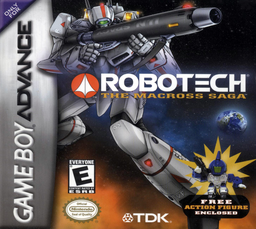
Robotech: The Macross Saga
Play Robotech: The Macross Saga online and pilot transforming Veritech fighters or Destroids through ten GBA shoot-'em-up missions against the Zentraedi.
Browser play
Game Boy Advance (GBA) — EmulatorJS controls
Default Player 1 keyboard mapping. Change keys in Controller Settings.
| Console button | Keyboard |
|---|---|
| ↑ / ↓ / ← / → | ↑ / ↓ / ← / → |
| A / B | Z / X |
| L / R | Q / E |
| START / SELECT | Enter / V |
Open Controller Settings to configure your keyboard or gamepad. Touch controls are available on mobile.
How to Play Robotech: The Macross Saga
Quick start
Create a pilot file, enter a name, then choose Single Play from the Start Menu and select a pilot. Mission 1, Boobytrap, asks you to stop the alien invaders from destroying Macross City and the SDF-1. Keep moving, fire the gunpod continuously, spend missiles on dense or durable targets, and transform as the space available changes: Fighter is fastest, Guardian trades speed for toughness, and Battloid can boost from the ground.
Controls
Veritech: + Control Pad moves, A fires the gunpod, B fires missiles, L and R transform between modes, and START pauses; SELECT is unused. In Battloid mode, B boosts/jumps instead of firing missiles. Destroid missions: + Control Pad moves, A fires the primary weapon, B fires the secondary weapon, START pauses, and L/R/SELECT are unused. Menus use the + Control Pad and A to select.
Robotech: The Macross Saga Game manuals
Cheats
No cheats have been added for this edition.
Player verification and sources
Browser play was reviewed before this edition was published in the catalogue. The date below is the catalogue publication date, not the game’s original release date.
- Browser test and catalogue publication date
- Browsers and devices
- PC: Chrome, Edge and Firefox. Mobile: Chrome on Android and Safari on iPhone and iPad.
- Player engine and core
- EmulatorJS 4.3.0-pre · gba
- Tested by
- rwEmulator
Sources and editorial basis
rwEmulator reviews edition metadata, release information, game manuals and first-hand browser-play notes. Available manuals are linked below; the editorial policy explains how facts are checked and corrections are handled.