More browsing paths
Play Star Soldier (Japan edition · Japanese) Online
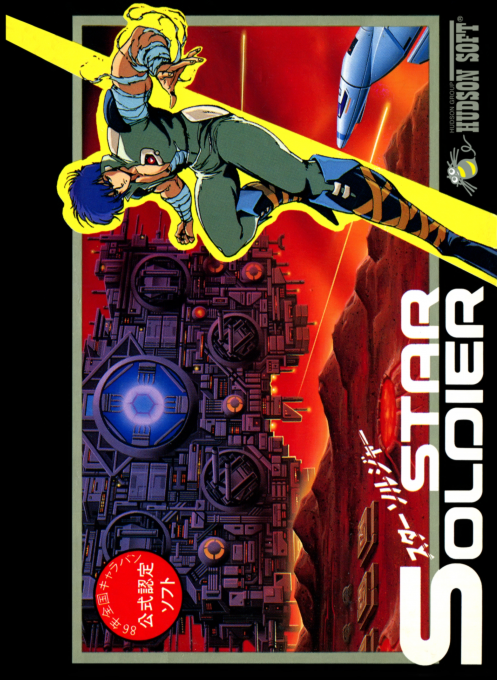
Star Soldier
Play Star Soldier online. Power up Caesar with capsules, dodge enemy formations and take on Starbrain in Hudson’s classic NES space shooter.
Browser play
Nintendo Entertainment System (NES) / Famicom — EmulatorJS controls
Default Player 1 keyboard mapping. Change keys in Controller Settings.
| Console button | Keyboard |
|---|---|
| ↑ / ↓ / ← / → | ↑ / ↓ / ← / → |
| A / B | Z / X |
| START / SELECT | Enter / V |
Open Controller Settings to configure your keyboard or gamepad. Touch controls are available on mobile.
How to Play Star Soldier
Quick start
Press START at the title screen. Use the D-pad to dodge and A or B to fire. Shoot P-mark targets and collect the released capsules to strengthen Caesar before facing the stage boss.
Controls
D-pad: move Caesar. A or B: fire. START: begin from the title screen; during play, pause or resume.
Star Soldier — About this game
Pilot Caesar against aerial formations and ground defenses in the Japanese Famicom version of Star Soldier. P-mark targets release power capsules when shot; collecting them improves movement and firing, then adds rear shots and eventually five-direction fire with a barrier. Protection does not make collisions safe. At the end of a stage, defeat Starbrain before time runs out: letting it escape sends you back to repeat part of the area. Building up the ship while keeping a clear escape route is central to surviving.
Cheats
No cheats have been added for this edition.
Player verification and sources
Browser play was reviewed before this edition was published in the catalogue. The date below is the catalogue publication date, not the game’s original release date.
- Browser test and catalogue publication date
- Browsers and devices
- PC: Chrome, Edge and Firefox. Mobile: Chrome on Android and Safari on iPhone and iPad.
- Player engine and core
- EmulatorJS 4.3.0-pre · nes
- Tested by
- rwEmulator
Sources and editorial basis
rwEmulator reviews edition metadata, release information, game manuals and first-hand browser-play notes. Available manuals are linked below; the editorial policy explains how facts are checked and corrections are handled.