More browsing paths
Play Star Soldier (US edition · English) Online
Star Soldier
Play Star Soldier online. Power up Caesar with capsules, dodge enemy formations and take on Starbrain in Hudson’s classic NES space shooter.
Browser play
Nintendo Entertainment System (NES) / Famicom — EmulatorJS controls
Default Player 1 keyboard mapping. Change keys in Controller Settings.
| Console button | Keyboard |
|---|---|
| ↑ / ↓ / ← / → | ↑ / ↓ / ← / → |
| A / B | Z / X |
| START / SELECT | Enter / V |
Open Controller Settings to configure your keyboard or gamepad. Touch controls are available on mobile.
How to Play Star Soldier
Quick start
At the title screen, press START to launch. If a demonstration is running, press START to leave it, then START again to begin. Move with the D-pad, fire with A or B and shoot P-mark targets to release power capsules.
Controls
D-pad: move Caesar. A or B: fire. START: begin from the title screen; during play, pause or resume.
Star Soldier — About this game
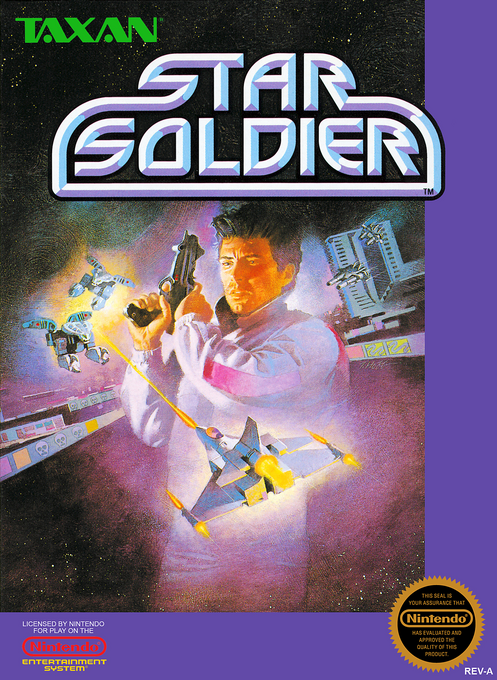
Star Soldier sends the fighter Caesar through enemy formations and a heavily defended space station. Shoot P-mark targets and collect the capsules they release to build up your ship: later upgrades add rear fire, a five-direction attack and a protective shield. The shield can absorb enemy fire but cannot save you from a collision. Each stage ends in a fight against Starbrain; defeat it before it escapes or repeat part of the stage. Larger Starbrain battles punctuate the sixteen-stage journey.
Cheats
No cheats have been added for this edition.
Player verification and sources
Browser play was reviewed before this edition was published in the catalogue. The date below is the catalogue publication date, not the game’s original release date.
- Browser test and catalogue publication date
- Browsers and devices
- PC: Chrome, Edge and Firefox. Mobile: Chrome on Android and Safari on iPhone and iPad.
- Player engine and core
- EmulatorJS 4.3.0-pre · nes
- Tested by
- rwEmulator
Sources and editorial basis
rwEmulator reviews edition metadata, release information, game manuals and first-hand browser-play notes. Available manuals are linked below; the editorial policy explains how facts are checked and corrections are handled.