More browsing paths
Play Thunderbirds (US edition · English) Online
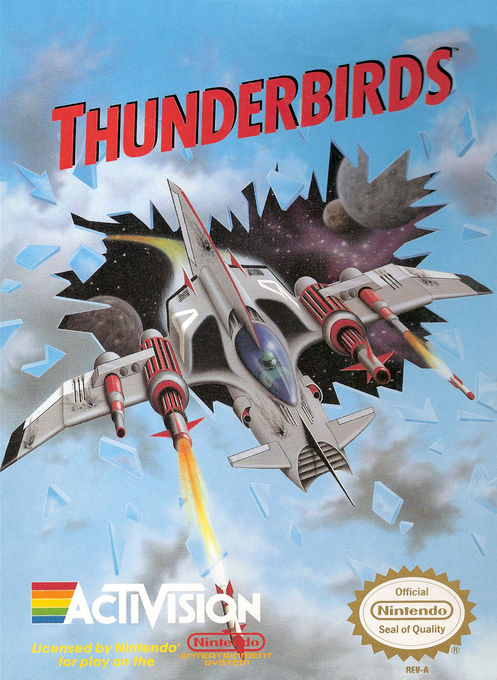
Thunderbirds
Play Thunderbirds online. Select missions, collect upgrades and switch orbital firing formations while racing a 60-day deadline. Learn the controls and password system.
Browser play
Nintendo Entertainment System (NES) / Famicom — EmulatorJS controls
Default Player 1 keyboard mapping. Change keys in Controller Settings.
| Console button | Keyboard |
|---|---|
| ↑ / ↓ / ← / → | ↑ / ↓ / ← / → |
| A / B | Z / X |
| START / SELECT | Enter / V |
Open Controller Settings to configure your keyboard or gamepad. Touch controls are available on mobile.
How to Play Thunderbirds
Quick start
Press START at the title, select Start with Up/Down and press START again. Choose an available mission on the world map and record its password before launching. Move with the Control Pad and fire with A. L restores life, E increases firepower and O adds an orbital device. With a device collected, use B to change its available firing configuration.
Controls
Control Pad: movement and menu selection. A fires and confirms selections; B switches orbital-device configurations. START confirms the start menus and pauses play. SELECT is unused. A speeds up dialogue and START skips it. For Continue, use Left/Right to select a password field and A/B to enter its number, then press START. Orbital formations need a collected device and an available configuration.
Thunderbirds — About this game
Thunderbirds combines scrolling shooting with a mission map. You deploy in craft suited to the selected location, fight through different environments and collect life, energy and orbital-device upgrades. Orbital configurations change where your supporting fire goes, helping cover enemies approaching from other directions. The campaign has a 60-day deadline, and repairs consume precious days. New information reveals further missions, so progress is not just a fixed sequence of stages: limiting damage and deciding which available mission to tackle are part of defeating Hood.
Cheats
No cheats have been added for this edition.
Player verification and sources
Browser play was reviewed before this edition was published in the catalogue. The date below is the catalogue publication date, not the game’s original release date.
- Browser test and catalogue publication date
- Browsers and devices
- PC: Chrome, Edge and Firefox. Mobile: Chrome on Android and Safari on iPhone and iPad.
- Player engine and core
- EmulatorJS 4.3.0-pre · nes
- Tested by
- rwEmulator
Sources and editorial basis
rwEmulator reviews edition metadata, release information, game manuals and first-hand browser-play notes. Available manuals are linked below; the editorial policy explains how facts are checked and corrections are handled.