More browsing paths
Play Tomb Raider: The Prophecy (Japan edition · Japanese) Online
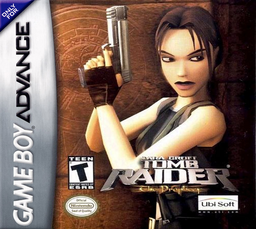
Tomb Raider: The Prophecy
Play GBA "Tomb Raider: The Prophecy" online. This is an action adventure in which you control Lara and conquer scaffolding, devices, enemies, and password-operated level restarts in a top-down ruin.
Browser play
Game Boy Advance (GBA) — EmulatorJS controls
Default Player 1 keyboard mapping. Change keys in Controller Settings.
| Console button | Keyboard |
|---|---|
| ↑ / ↓ / ← / → | ↑ / ↓ / ← / → |
| A / B | Z / X |
| L / R | Q / E |
| START / SELECT | Enter / V |
Open Controller Settings to configure your keyboard or gamepad. Touch controls are available on mobile.
How to Play Tomb Raider: The Prophecy
Quick start
In the title menu, select "New Game" if you want to play from the beginning, or "Continue" if you want to play from where you left off. There are no intermediate saves in this game, and a 4-character password is displayed when you reach a new level. For Continue, select a character with the cross keys, press A to enter, press B to delete one character, enter the correct 4 characters and press START to restart from the beginning of the level. The first setting is at the foot of a mountain in Sweden. Your first goal is to go to the right, climb the cliff, defeat the wolf, and use the scaffolding and switch to reach the entrance on the high ground. Don't keep running in places where you're likely to fall, use B for a safe descent and normal jump, and use L to sprint jump over long valleys.
Controls
Use the four-way controller to select the menu, press A to confirm, and press B to return. To move, use the D-pad (you can run normally, so be careful when near a cliff), A to jump on the spot, D-pad + A to jump in the direction, and L + D-pad + A to sprint jump for the longest distance. B is for operating switches, acquiring items, and hanging safely from a cliff. While hanging, climb at the top, release your hands at the bottom, and move sideways to the left and right. Press R to hold/put away your weapon, and press B to shoot while holding the weapon. Open the inventory with SELECT, select items with left and right, use/equip with A, and close with SELECT. START is the pause screen, select Continue/Quit using the up and down buttons, and press A to confirm. Golden Guns store power by holding B, and fire when released.
Tomb Raider: The Prophecy Game manuals
Cheats
No cheats have been added for this edition.
Player verification and sources
Browser play was reviewed before this edition was published in the catalogue. The date below is the catalogue publication date, not the game’s original release date.
- Browser test and catalogue publication date
- Browsers and devices
- PC: Chrome, Edge and Firefox. Mobile: Chrome on Android and Safari on iPhone and iPad.
- Player engine and core
- EmulatorJS 4.3.0-pre · gba
- Tested by
- rwEmulator
Sources and editorial basis
rwEmulator reviews edition metadata, release information, game manuals and first-hand browser-play notes. Available manuals are linked below; the editorial policy explains how facts are checked and corrections are handled.