More browsing paths
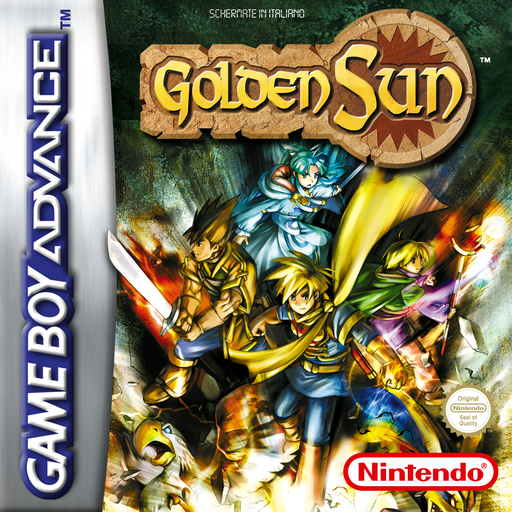
Play Golden Sun (Italy edition · Italian) Online
Golden Sun
Play Golden Sun online and rediscover the RPG for GBA. Find the start in Vale, the royal commands, the Psyenergy and the management of the Djinn.
Browser play
Game Boy Advance (GBA) — EmulatorJS controls
Default Player 1 keyboard mapping. Change keys in Controller Settings.
| Console button | Keyboard |
|---|---|
| ↑ / ↓ / ← / → | ↑ / ↓ / ← / → |
| A / B | Z / X |
| L / R | Q / E |
| START / SELECT | Enter / V |
Open Controller Settings to configure your keyboard or gamepad. Touch controls are available on mobile.
How to Play Golden Sun
Quick start
Press START, enter Isaac's name with a cross and A, then choose END. The prologue begins during Vale's storm: follow the inhabitants south away from the boulder and use A in front of people and objects. Three years later, save as soon as the party is formed, distribute the equipment and set up the Djinn. An assigned Djinn changes class and Psychenergy; freed prepares a summon, so do not deprive all the characters of the Djinn at once.
Controls
The directional cross also moves the group diagonally and scrolls through the menus. Hold B to run; B cancels or advances messages. A speaks, examines, opens field commands and confirms. L/R uses Psienergy shortcuts; on the R map shows the world, in battle the state. SELECT opens the field commands and START the pause menu.
Golden Sun Game manuals
Cheats
No cheats have been added for this edition.
Player verification and sources
Browser play was reviewed before this edition was published in the catalogue. The date below is the catalogue publication date, not the game’s original release date.
- Browser test and catalogue publication date
- Browsers and devices
- PC: Chrome, Edge and Firefox. Mobile: Chrome on Android and Safari on iPhone and iPad.
- Player engine and core
- EmulatorJS 4.3.0-pre · gba
- Tested by
- rwEmulator
Sources and editorial basis
rwEmulator reviews edition metadata, release information, game manuals and first-hand browser-play notes. Available manuals are linked below; the editorial policy explains how facts are checked and corrections are handled.