More browsing paths
Play Tetris Worlds (Europe edition · English / Spanish / Italian) Online
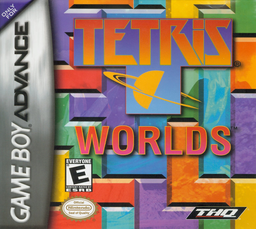
Tetris Worlds
Play Tetris Worlds online and tackle six GBA puzzle variants with hard drop, two-way rotation, Hold and adjustable starting levels.
Browser play
Game Boy Advance (GBA) — EmulatorJS controls
Default Player 1 keyboard mapping. Change keys in Controller Settings.
| Console button | Keyboard |
|---|---|
| ↑ / ↓ / ← / → | ↑ / ↓ / ← / → |
| A / B | Z / X |
| L / R | Q / E |
| START / SELECT | Enter / V |
Open Controller Settings to configure your keyboard or gamepad. Touch controls are available on mobile.
How to Play Tetris Worlds
Quick start
Press START, open Marathon, choose Tetris and set the starting Level to 1. Clear five lines before the stack reaches the top. For an easy start, leave one outside column open, keep the remaining surface level and put an I Tetrimino in Hold until it completes four rows. Marathon also contains Sticky, Fusion, Hot-line, Square and Cascade, each with a different clearing condition.
Controls
D-Pad Left/Right moves the piece, Down performs a soft drop and Up a hard drop. A rotates counter-clockwise; B rotates clockwise. R holds or swaps the active Tetrimino. START pauses. Menus use the D-Pad to select a mode or level, A to confirm and B to return. The hidden Popular Tetris mode instead maps L/R to horizontal movement.
Tetris Worlds Game manuals
Cheats
No cheats have been added for this edition.
Player verification and sources
Browser play was reviewed before this edition was published in the catalogue. The date below is the catalogue publication date, not the game’s original release date.
- Browser test and catalogue publication date
- Browsers and devices
- PC: Chrome, Edge and Firefox. Mobile: Chrome on Android and Safari on iPhone and iPad.
- Player engine and core
- EmulatorJS 4.3.0-pre · gba
- Tested by
- rwEmulator
Sources and editorial basis
rwEmulator reviews edition metadata, release information, game manuals and first-hand browser-play notes. Available manuals are linked below; the editorial policy explains how facts are checked and corrections are handled.